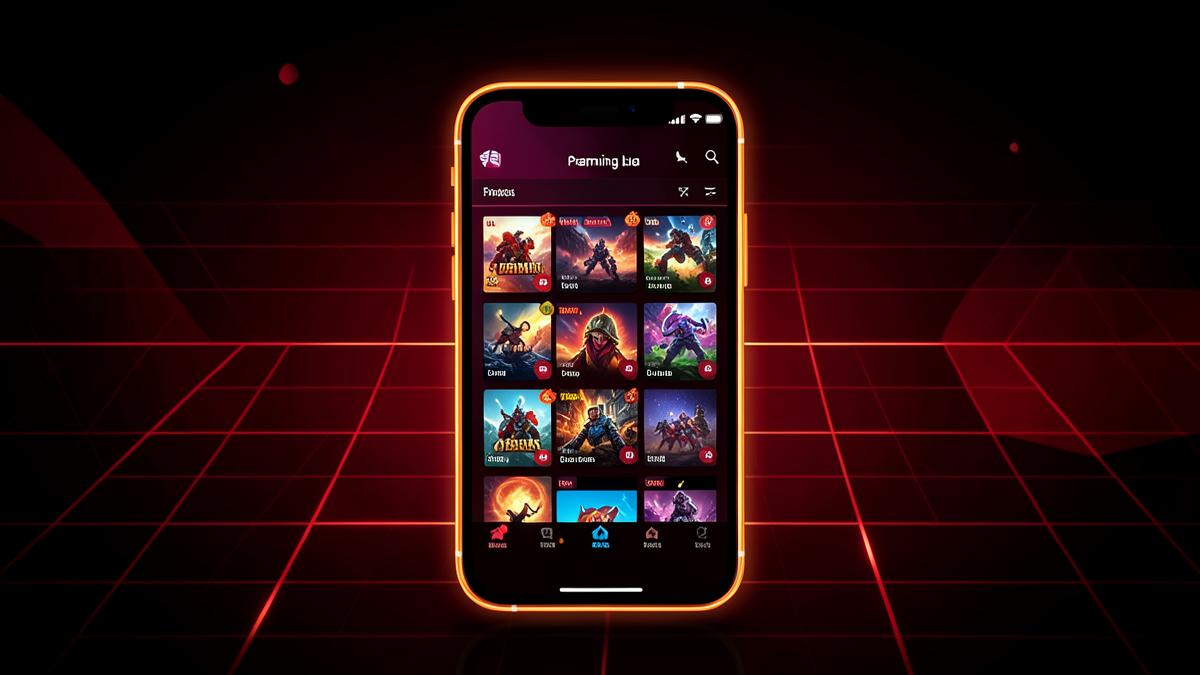
IC7 Game has grown into enough of a topic that questions about it span several distinct areas — downloading, installing, playing, troubleshooting, and understanding what it actually is. This page is meant to be the map: a broad overview of every part of the IC7 Game experience, with links out to the detailed guide covering each piece in full. If you're looking for one place to start and then branch out from, this is it.
What IC7 Game Is, in Brief
IC7 Game (also called IC7 Gaming, IC-7, or IC-7S) is an Android mobile game hub app distributed directly by IC7 GAME as an APK, rather than through Google Play. Inside is a library of eight games — Turbo Striker, Neon Runner, Bubble Blitz, Royal Cards, Empire Tactics, Battle Arena 7, Speed Drift, and Puzzle Quest — spanning arcade, puzzle, card, and combat styles. Every game is entertainment and social only, with no real-money betting, deposits, or withdrawals involved anywhere in the app. For a deeper introduction to the concept and background, see what IC7 Game is.
Getting the APK
Because IC7 Game isn't on the Play Store, the download step deserves care. The only reliable source is the official download link on the IC7 GAME site or the dedicated APK page. The file is roughly 48MB, small enough to download quickly on most connections. For a full walkthrough of the download process itself, see the APK download and installation guide or the shorter APK guide.
Installing on Android
Installing an APK requires enabling the "Install unknown apps" permission for your browser or file manager — a standard Android step, not something unique to this app. From there, the install typically completes in under a minute. If you want a screen-by-screen reference, how to install the IC7 Game APK covers it in detail, and the installation guide offers a broader overview of the same process alongside common variations across Android versions.
Checking Your Device Meets Requirements
IC7 Game recommends Android 8.0 or higher and at least 2GB of RAM. Most phones from the last several years clear this bar easily, but if you're on an older or budget device, it's worth confirming first. The Android requirements guide breaks down what each requirement actually affects, and the Android guide covers general Android-specific considerations for running the app well.
Exploring the App's Features
Once installed, the app itself is organized as a library-style hub: a home screen of games, a menu for settings and profile, and individual game screens you move in and out of. The features overview covers what's available across the interface, while the app guide focuses specifically on navigating the interface as a new user. If you'd rather see the full journey from first launch onward, the IC7 Gaming app guide walks through discovery to daily use in one continuous guide.
Logging In and Managing Your Account
Most games inside IC7 Game ask you to log in to save progress. If sign-in issues come up — wrong credentials, connectivity problems, or unexpected logouts — the login guide covers the most common causes and fixes.
Keeping the App Updated
IC7 Game receives periodic updates, and because it's installed manually rather than through an auto-updating store, it's worth checking your version occasionally against the official site. The update guide and APK update guide explain how updates work, while our post-update checklist covers what to verify once an update is applied — permissions, login, and performance included.
Performance and Everyday Use
If games start feeling sluggish over time, it's rarely the app itself and more often a matter of device storage, background apps, or an aging phone. The performance guide walks through practical fixes, and the mobile gaming guide offers broader context on getting a smooth experience on Android generally.
When Something Goes Wrong
Installation hiccups, crashes, and an app that "just won't open" are common enough across any Android app that dedicated guides exist for each:
- Installation problems — covers failed or stuck installs
- IC7 Game not working — covers crashes and general malfunctions after install
Working through these before reaching out to support resolves the majority of issues without needing to wait on a reply.
Staying Safe While Using an APK-Based App
Downloading and installing outside the Play Store naturally raises safety questions, and they deserve a straight answer: stick to the official download source, pay attention to what permissions you grant, and treat any link claiming to be IC7 Game outside the official site with skepticism. The safety guide goes into this in more depth, and if you're comparing naming variations you've seen elsewhere, IC7 vs IC-7 clarifies that they refer to the same product.
Getting Support
For anything not resolved through self-service guides, the support team is reachable at support@ic7game.com — there's no phone or chat option, so email is the direct channel. The support guide lists what details to include for the fastest response, and our FAQ page plus the broader questions answered article cover a wide range of specific queries in one place.
New to IC7 Game? Start Here
If you're brand new, the beginners guide and beginner tips are built specifically for a first-time audience, while this page remains the broader reference to come back to as new questions come up. Between the download, installation, feature, and troubleshooting resources linked throughout, nearly every part of using IC7 Gaming is covered somewhere in this set of guides — this page just ties them together.
Understanding the Full Game Library
While the app itself is the main product, the eight games inside are what most people actually spend time with. Turbo Striker and Speed Drift lean into fast reflex-based action, Neon Runner sits in similar territory with a different visual style and pacing. Bubble Blitz and Puzzle Quest are casual, pick-up-and-play titles better suited to short breaks than long sessions. Royal Cards and Empire Tactics take a slower, more decision-heavy approach, appealing to users who prefer strategy over speed. Battle Arena 7 rounds out the lineup as the most competitive, action-oriented title. None of these games involve real-money betting, deposits, or withdrawals — they're entertainment and social experiences built around virtual chips or progress systems with no cash value.
Comparing IC7 Game to General Mobile Gaming Practices
If you're newer to installing apps outside the Play Store generally, it helps to understand how IC7 Game fits into that broader landscape. Distributing an app directly via APK rather than through an official store is a common approach for hub-style apps and regional titles, and it isn't inherently riskier as long as the source is legitimate. The key habits — downloading only from the official site, checking Android version compatibility first, and reviewing permissions during install — apply broadly to any APK-based app, not just this one. Our mobile gaming guide covers this wider context if you're building good habits for Android gaming beyond just this one app.
A Realistic Timeline for New Users
For anyone starting completely fresh, it helps to know roughly what to expect time-wise. Downloading the APK typically takes well under a minute given its compact ~48MB size on most connections. Installation, including enabling "install unknown apps" if it isn't already on, usually adds another minute or two. First launch and account setup might take another few minutes depending on how much you explore the interface before settling into a game. All told, most people are actively playing within five to ten minutes of starting from scratch — a modest time investment for access to the full library. If any step takes noticeably longer than this, it's usually a sign worth checking one of the troubleshooting resources linked above rather than assuming it's normal.
Frequently Overlooked Details
A handful of small details trip up new users more often than the bigger steps do. Confirming free storage space before downloading is easy to skip but prevents a failed or corrupted install. Double-checking that you're on a stable connection during installation avoids partial downloads that won't open properly. And keeping the original APK file (or knowing where to redownload it) makes reinstalling far less of a hassle if something ever goes wrong later. None of these are complicated, but they're the kind of small precautions that save the most time in the long run.
How This Guide Fits With the Rest of the Blog
This page intentionally stays broad so it can serve as a starting point regardless of where you are in the process — deciding whether to download, mid-installation, already playing regularly, or troubleshooting an issue. Every linked article above goes deeper into its specific topic than this page does by design, so treat this as the index you return to whenever you're unsure which detailed guide applies to your situation. Bookmarking this page alongside the blog homepage is a reasonable way to keep the full set of IC7 Game resources within easy reach.